
DELETE YOUR ACCOUNT
Important: You can deactivate your account yourself at any time in your profile settings.
Account Deletion Guide
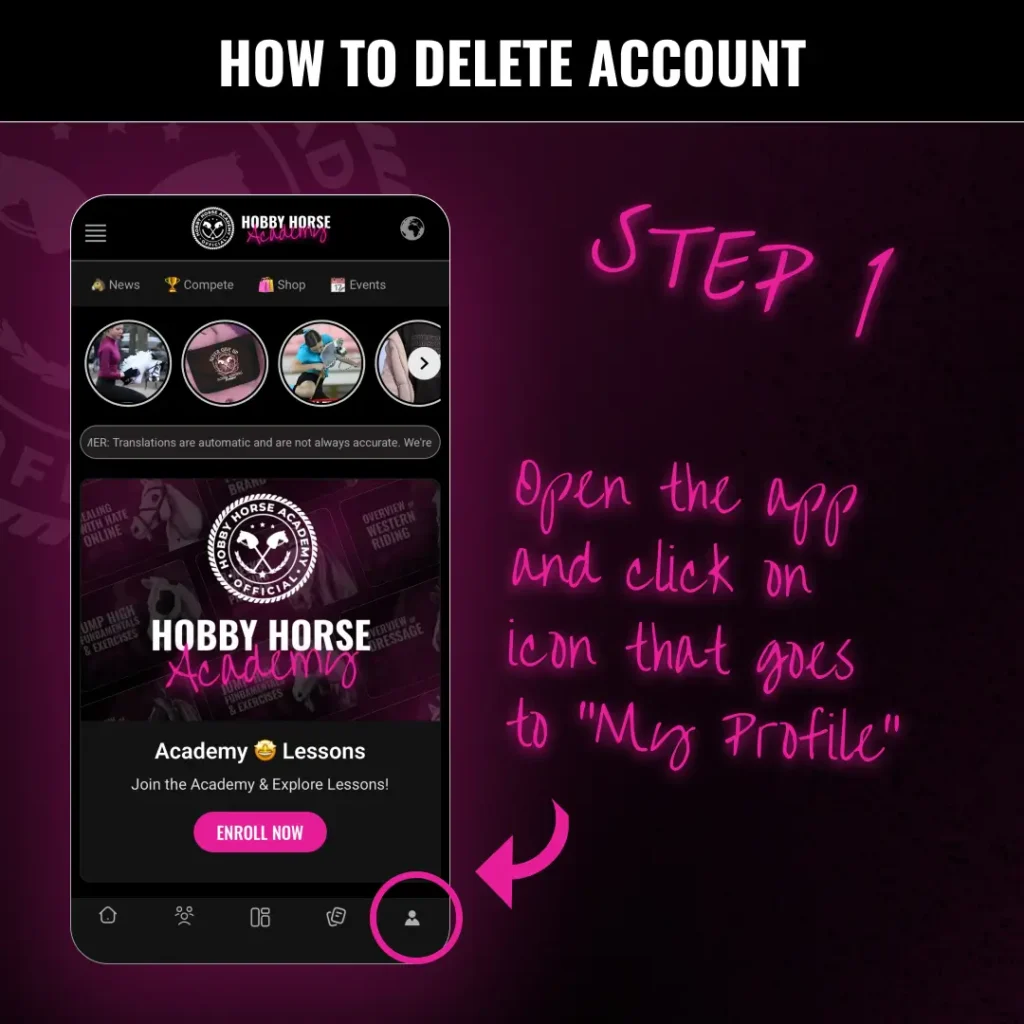
Step 1: Access Your Profile
Open the Hobby Horse Academy app. On the main home screen, look at the bottom navigation bar. Tap the “My Profile” icon (the person silhouette) located in the bottom right corner.
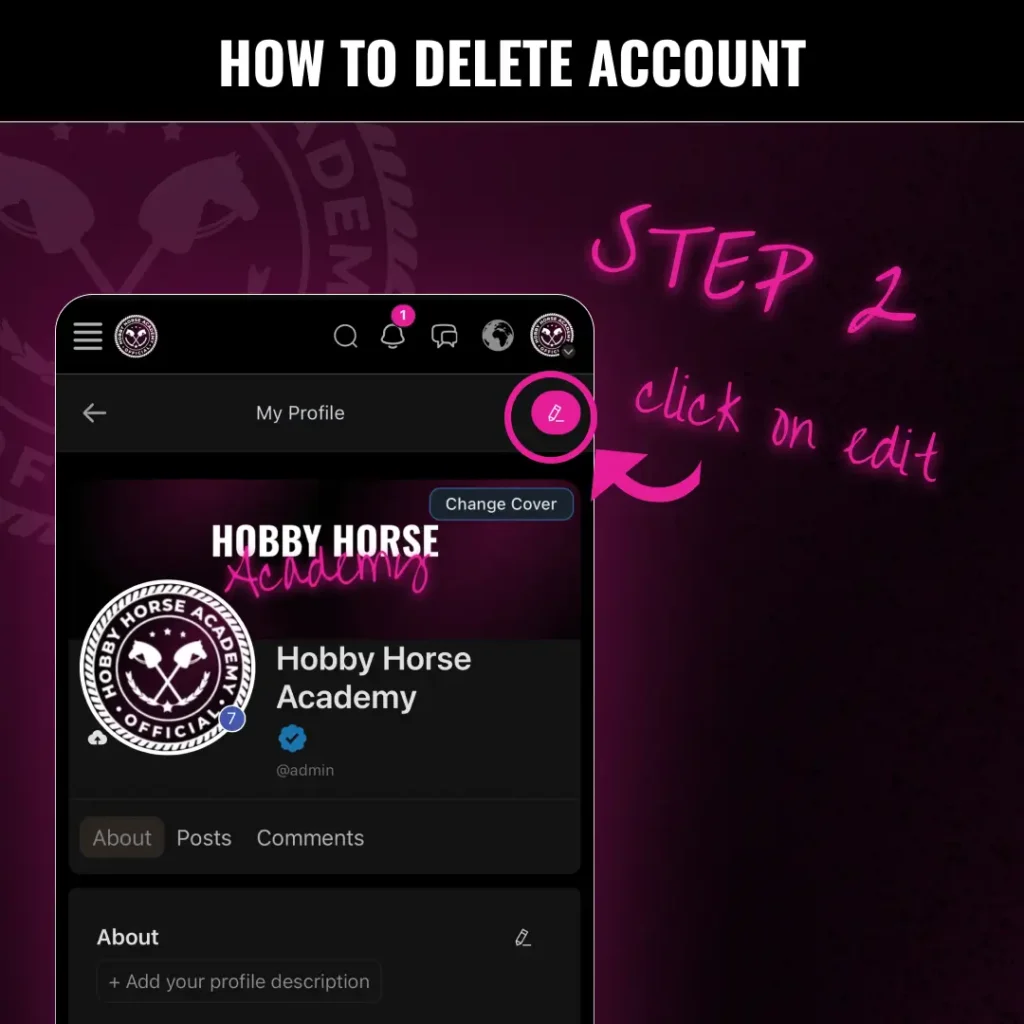
Step 2: Enter Edit Mode
Once you are on your profile page, look for the pink “Edit” button (it looks like a pencil icon). It is located in the top right area of your profile header. Tap this to open your settings.
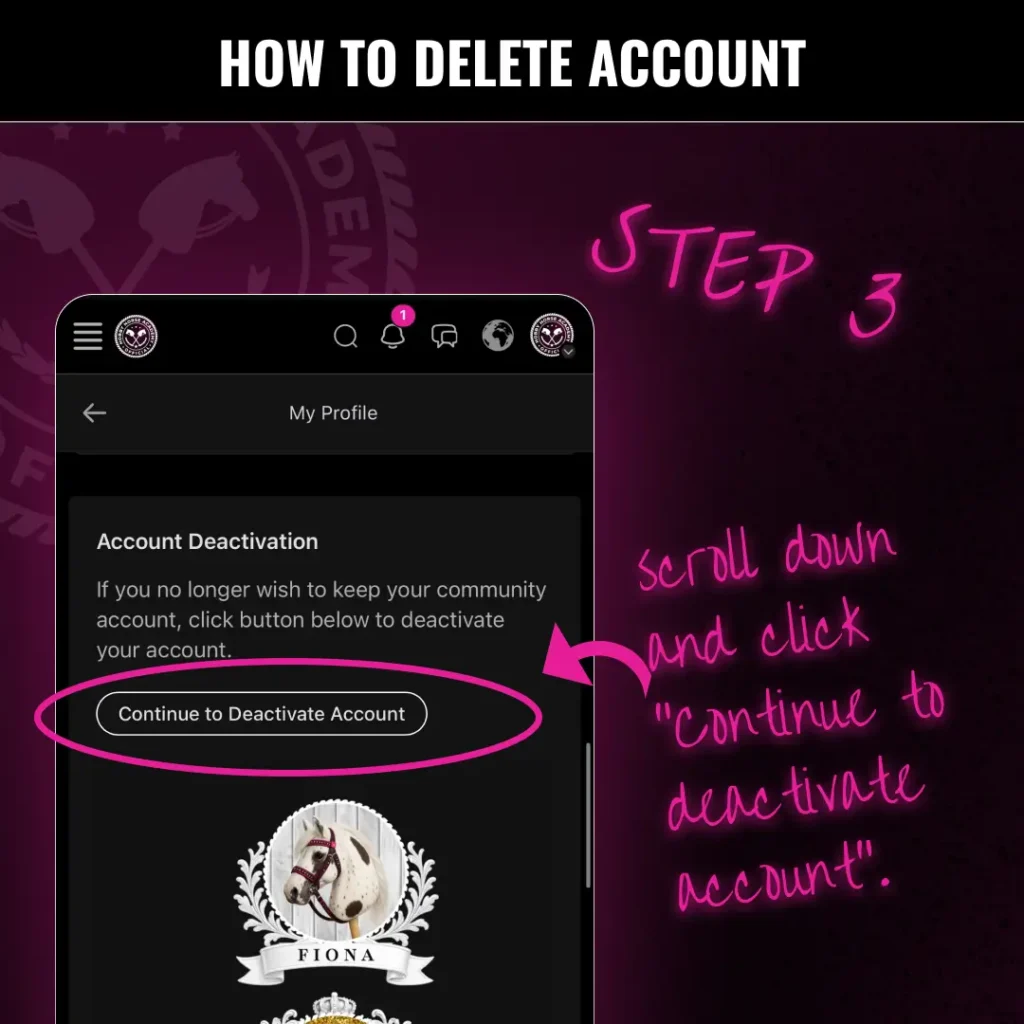
Step 3: Deactivate Your Account
Scroll down through your profile settings until you find the “Account Deactivation” section.
Read the notice regarding your community account.
Click the button labeled “Continue to Deactivate Account” to finalize the process.
Data Deletion and Retention
Upon account deletion:
- All your personal data, including your profile information, posts, and messages, will be deleted permanently.
- Some data, like transaction records or logs, may be retained for legal or administrative purposes for up to 90 days after account deletion.
If you have any questions, feel free to reach out to Hobby Horse Academy’s support team at [email protected].